Automattic menulis:" Serendipitous connections, like discovering a shared interest with someone in line at the coffee shop, look slightly different in distributed organizations. This year, leveraging the values of open source, Automattic shared the planning and organization " WordPress.com News
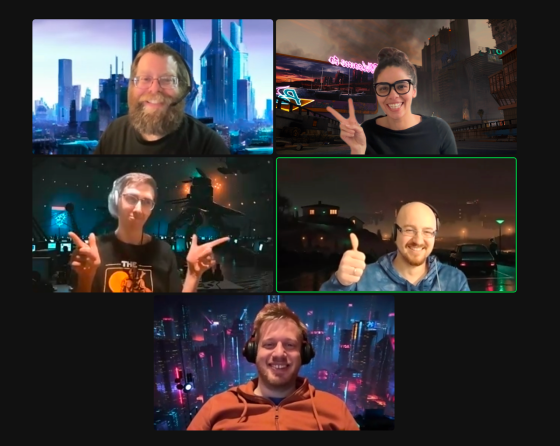
Serendipitous connections, like discovering a shared interest with someone in line at the coffee shop, look slightly different in distributed organizations. This year, leveraging the values of open source, Automattic shared the planning and organization of a company-wide 24-hour online event among the entire company, in order to create space for serendipitous connections.
What followed was energy, diversity, and abundant creativity!
The Purpose: Intentional Random Connections
As we welcomed 2023, this event was an invitation to connect across divisions, timezones, and geographies across 90+ countries:
Intentional: We scheduled a date one month in advance so that people could create space to join at times that were convenient to them and their team.
Random: We invited any and all wonderful ideas to the agenda. We believe that great ideas can come from anywhere and anyone.
Rather than deciding the agenda up front, we entrusted the agenda to the whole company. We invited people to contribute what they'd like and then join any sessions that interested them. (This structure is built on the values of Open Space by Harrison Owen.)
Hosting a session was simple — all one had to do was choose a topic and add it directly to a shared Google Calendar which we created for the day. All that was left from there was to arrive on the day at their selected time to host their session with the folks who chose to join.
Movement among sessions was welcome and everything was optional.
The Outcomes: Abundant Creativity!
In total we had 38 sessions hosted over 24 hours (both synchronous and asynchronous). The creativity, energy, and diversity that was created far exceeded what any one person could have planned on their own.
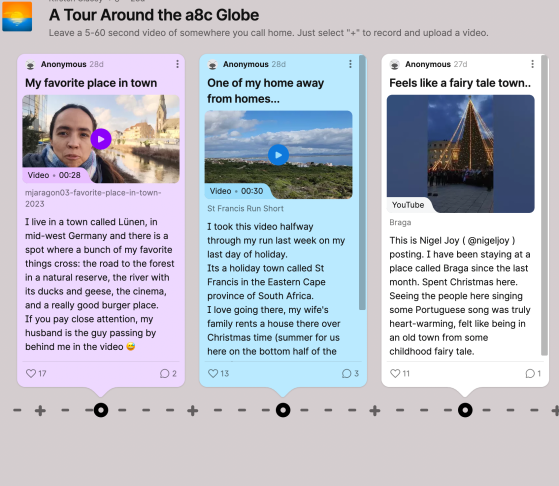
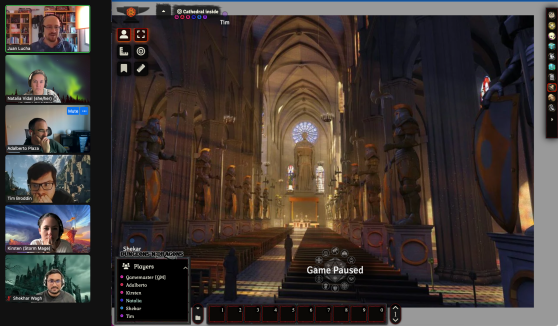
We had cat parties, dog walks, asynchronous virtual raves, collaborative poem writing, role playing games, lego sessions, language lessons, art parties, parenting discussions, muffin making, company trivias, children's book readings, open mics, musician parties, walks around the globe, and a lot of games! For the full list of sessions see the bottom of this post.
While many companies report difficulty getting engagement in online company events, the survey feedback from this event showed that:
100% of participants would recommend future events like this
95% of participants met with someone they'd never met before
100% of people who hosted would host a session again
For a 2,000-person company, these are pretty staggering results. The value of distributed ownership and co-creation speaks for itself!
We hope these results convince you to try this out in your own organization!
Jeremy Anderberg menulis:" At WordPress.com, we're always adding features and pushing our blocks and Site Editor to do more so that you can create, design, and publish amazing things with ease. Our newest features are largely design-focused, giving you the confidence to explore a " WordPress.com News
At WordPress.com, we're always adding features and pushing our blocks and Site Editor to do more so that you can create, design, and publish amazing things with ease. Our newest features are largely design-focused, giving you the confidence to explore a variety of styles and then easily apply them across your entire site.
Let's jump in and see what's new.
Browse Mode: An easier way to navigate the Site Editor
Browse Mode allows you to easily explore, navigate, and edit your site's templates and template parts, including adding new templates right from this interface. To play around with Browse Mode, simply click your site's icon from the Site Editor.
When to use this feature: You want to see how all the pieces of your site fit together — and to jump between your templates and template parts for easy editing.
Clearer access to your advanced block settings
With more powerful blocks comes the need for easier, more intuitive access to advanced settings for those blocks. To that end, we've split block settings into two tabs within the sidebar. On the left side, you'll find standard customization options like color, typography, and spacing. On the right side, you'll find more advanced options, like layouts, custom CSS, and a button to apply changes across your entire site (more on that below).
When to use this feature: You're working on your navigation menu and need more customization than just color or typography options. Go over to advanced settings to change the orientation of the menu from horizontal to vertical — among other things!
Preview style options with the Style Book
A number of themes, including staff favorite Twenty Twenty Three, now come with styles, which change the look and feel of your site — color, spacing, etc. — within the overarching design aesthetic of the theme.
With the newly launched Style Book, you can now see how various styles affect different blocks. You're able to preview colors, typography, embeddable media, and more.
When to use this feature: You're curious about switching up the colors or typography on your site, but you want to know what it'll look like, especially within specific blocks, before committing.
Apply design changes across your entire site
When working and designing in the Site Editor, it's easy to find yourself having created a certain style that you really like and want emulated across your entire site. With our new "Apply globally" button, you can do just that.
When to use this feature: You've spent some time styling a heading (or other block) on your homepage or a page template, and you want that look to carry over across all the headings (or whichever block you're working with) on your site.
In Case You Missed It
In the midst of holiday season business, you may have missed some of our other recent and exciting updates:
With Site Previews, you can generate a unique link for your in-progress Business or eCommerce site that allows your team or clients to access and explore the site without needing to log in.